Overview
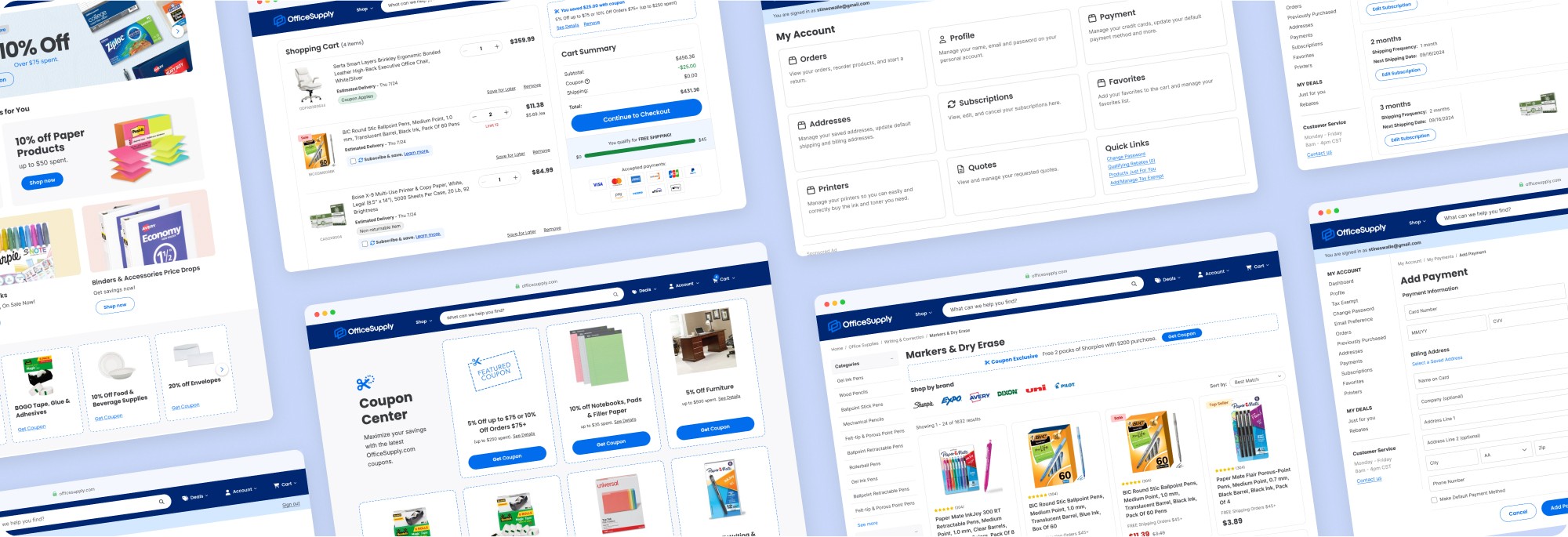
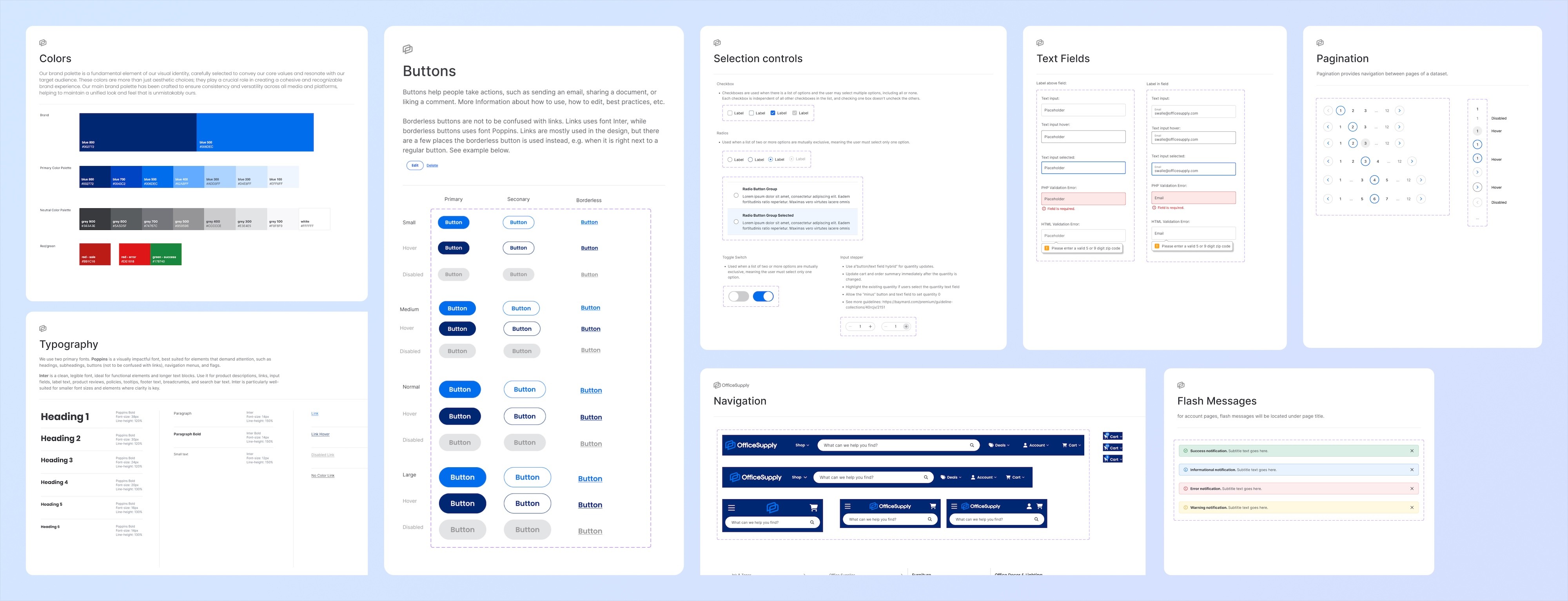
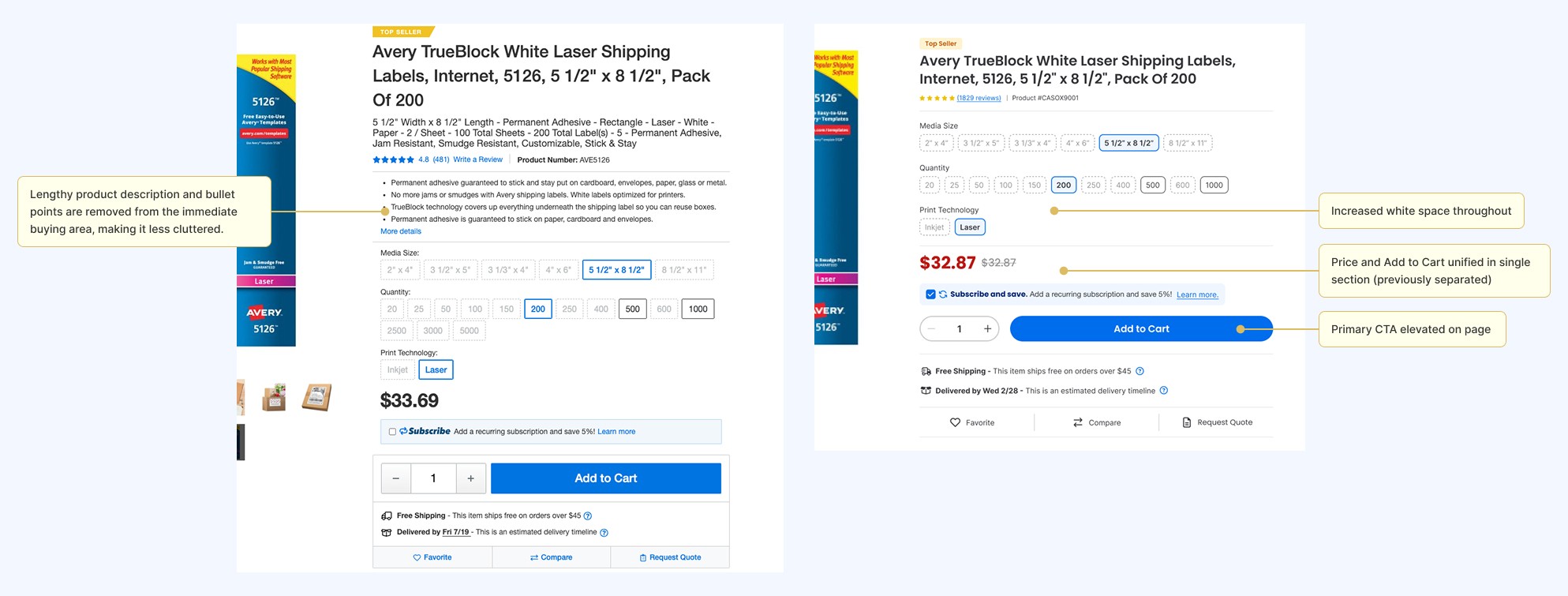
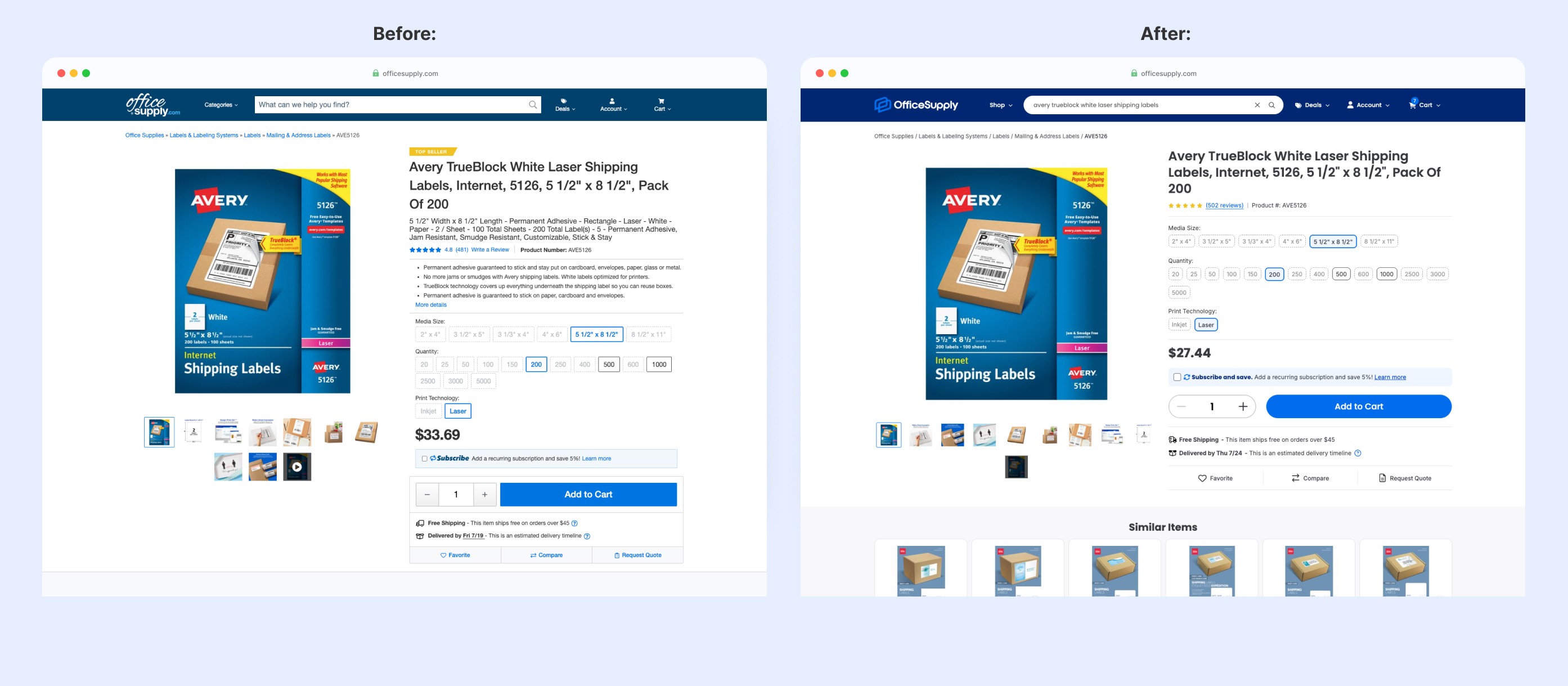
OfficeSupply.com struggled with a dated visual identity and user experience that hadn't kept pace with modern e-commerce expectations. To address this, I led the complete website transformation over 6 months, taking a strategic approach that balanced speed with quality. The solution featured a brand new design system built on industry best practices, targeted UX improvements to high-impact pages like the product page, and mobile optimizations including sticky CTAs and responsive refinements.
The result? A full digital transformation, resulting in a modern, cohesive interface that elevates the UX and secures OfficeSupply.com's competitive position in the industry.
My Role
As the sole in-house UX Designer, I spearheaded this transformation from initial research through final execution. I was responsible for everything but the logo design: UX research, design system creation, and the redesign of the website, including mobile optimization, and marketing materials.
Timeline
August 2024 - January 2025 (6 months)
Approach
With a tight six-month timeline from design kickoff to launch, we needed a strategy that balanced speed with quality. My first priority was getting developers building as quickly as possible. This meant carefully choosing which pages to design first—focusing on pages that were stable and unlikely to require changes between build and launch.
I started with two key areas: the account pages and the homepage.
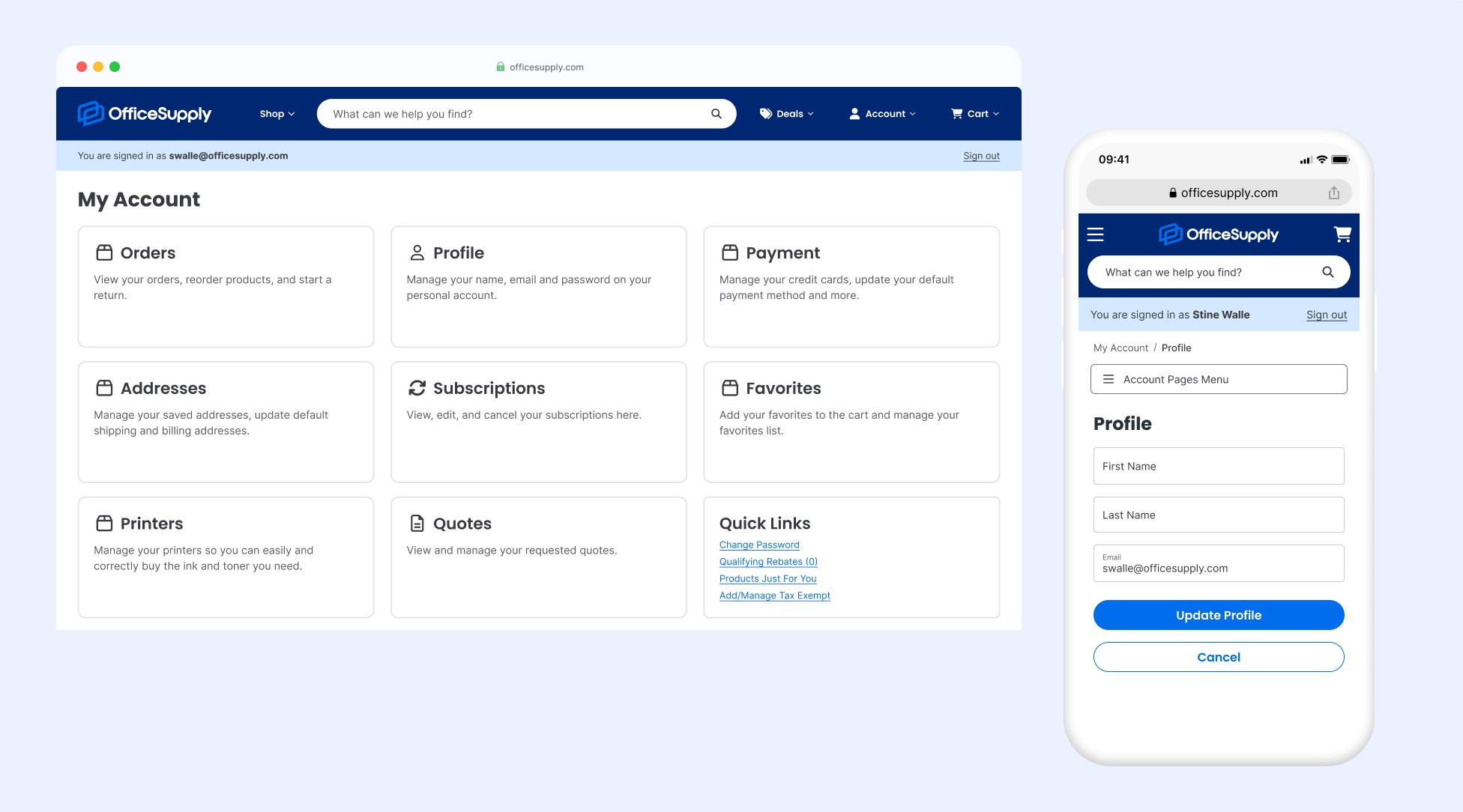
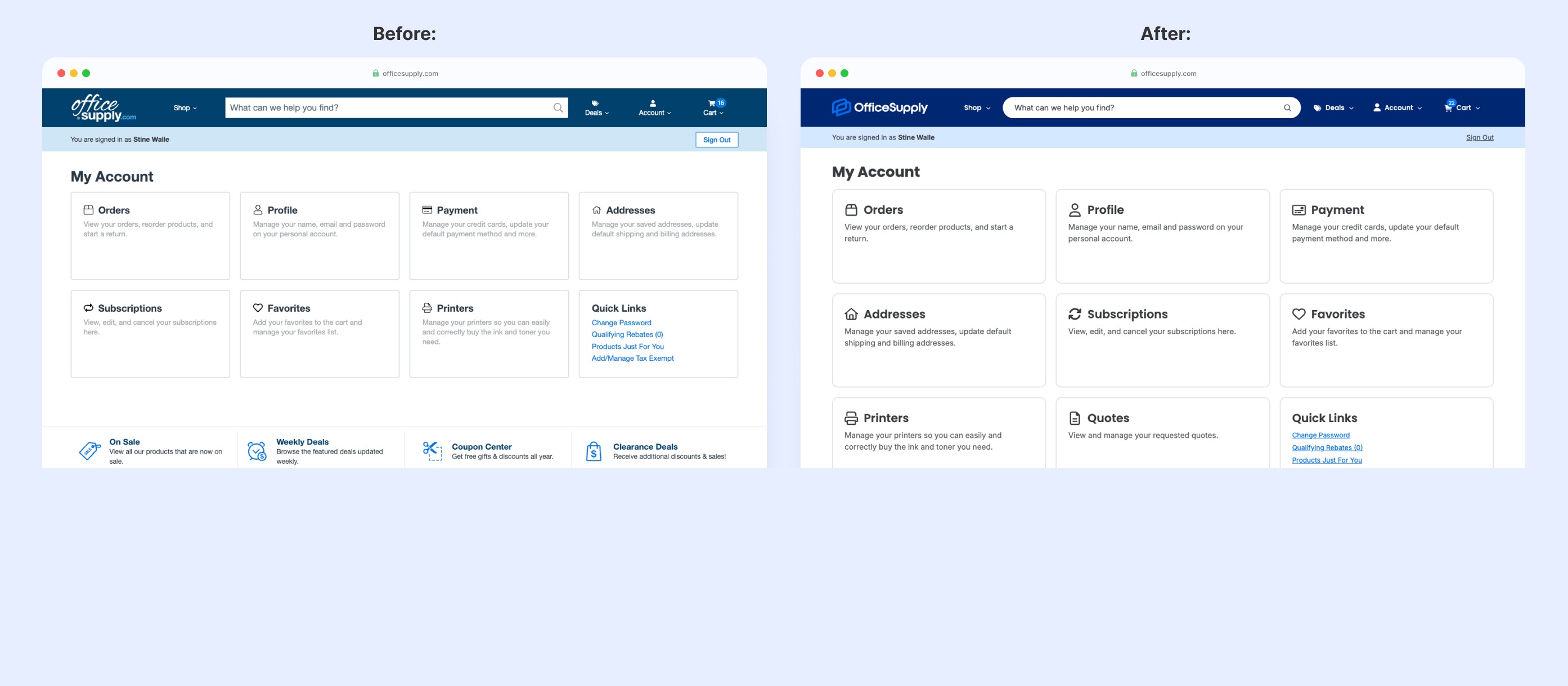
The account pages were lower-traffic, making them lower-risk. But more importantly, they served as a proving ground—a place where I could establish the new visual language and test whether our direction was working before touching other high-traffic pages.
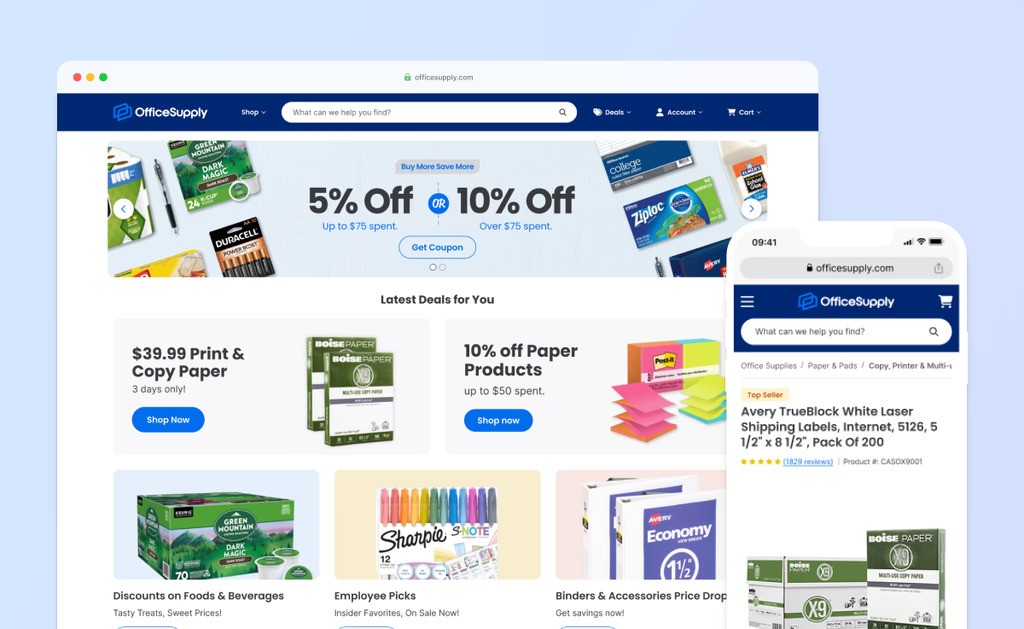
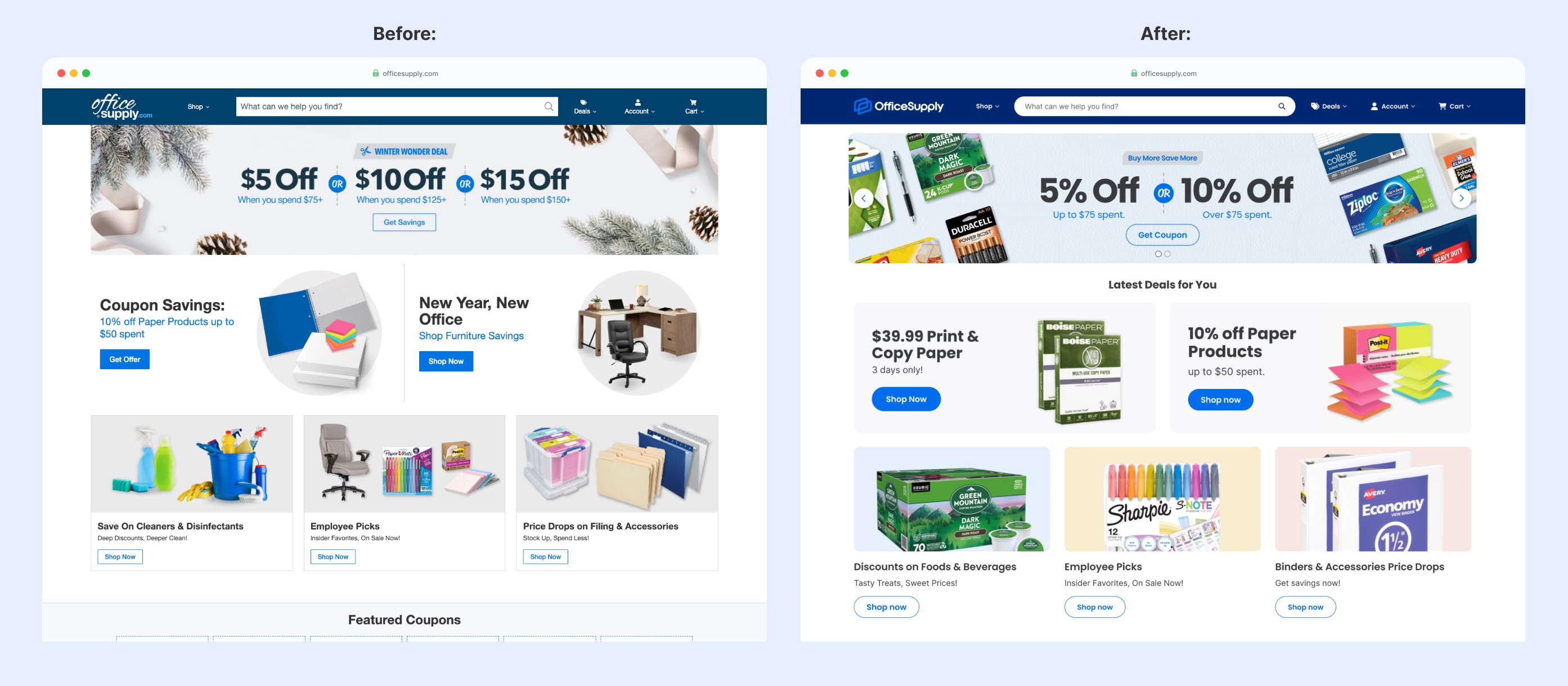
The homepage was equally strategic. While setting the brand's tone for the entire site, it was also stable enough for developers to begin building immediately in the staging environment. This allowed the development team to establish the technical foundation with confidence while I continued designing the rest of the site.
Once that foundation was in place, I shifted focus to the core conversion funnel: Product Pages (PLPs), Cart, and Checkout.
Account
Pages
Low traffic
Low risk
Visual Foundation

Homepage
Sets brand tone
Stable for dev
Conversion Funnel
High Impact
Deep UX work
Remaining Pages
Visual Refresh
Brand cohesion
Our timeline meant being strategic about where to invest deeper UX work. I adopted a hybrid approach—most pages received a visual refresh to match the new brand, while high-impact areas like the product page received more fundamental redesigns. I prioritized based on potential impact and engineering effort, fast-tracking quick wins and ensuring everything felt cohesive with the new brand.
Research
I conducted desk research throughout the design process. When I encountered an area of our website that didn't seem to follow best UX practices, I consulted the Baymard Institute for their recommendations. For example, while designing the breadcrumbs component for our style guide, I researched breadcrumb best practices and discovered we weren't following them—best practice includes hierarchical breadcrumbs, which we were missing. I then discussed with my manager whether this was something to include in the redesign or defer for later.
In addition to desk research, I conducted competitive audits of major industry players (Target, Walmart, Staples, and Amazon). This exercise was critical for understanding current user mental models (following Jakob's Law) and identifying successful design patterns we could adopt for a more intuitive experience.
For larger changes we wanted to include in the redesign—such as moving short descriptions down on the product page or introducing sticky CTAs on mobile—we conducted A/B testing before launch. This allowed us to ensure our structural decisions led to measurable performance gains.

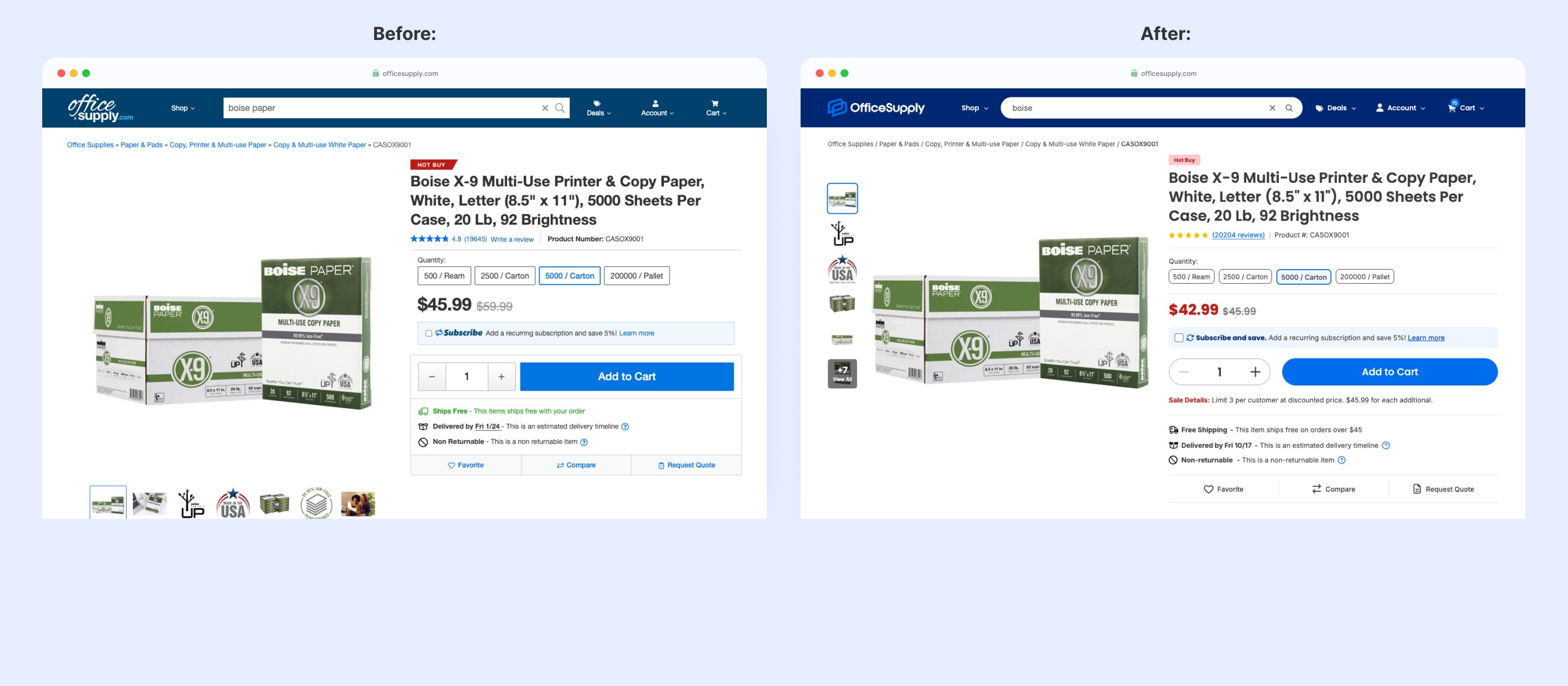
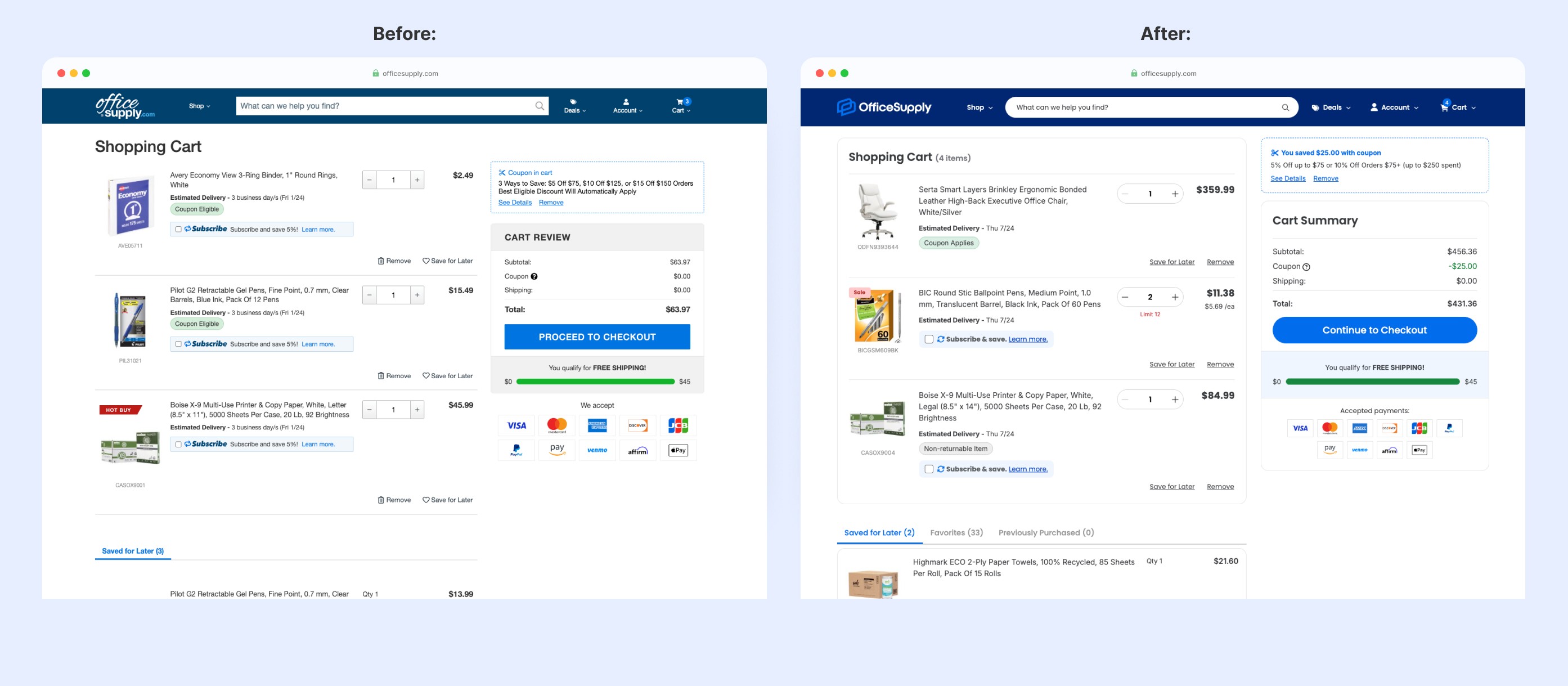
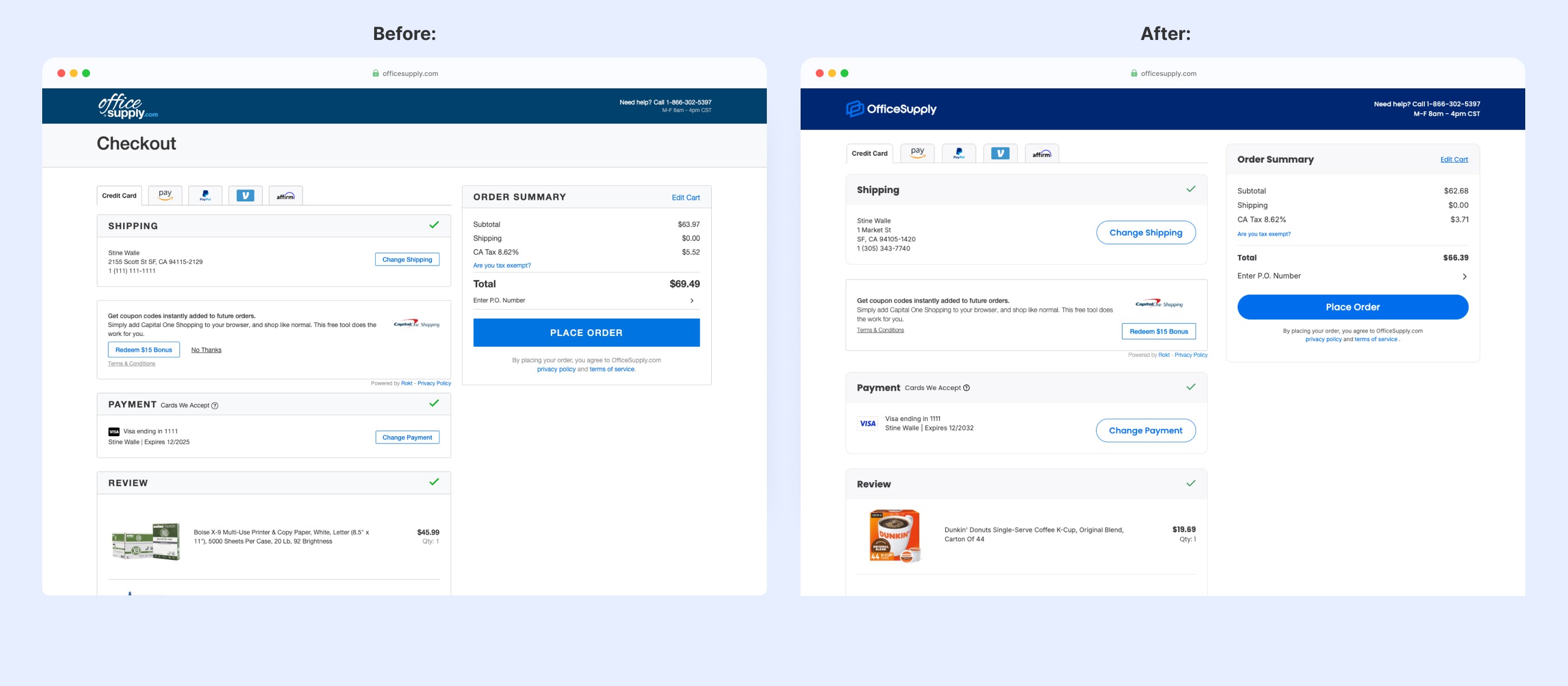
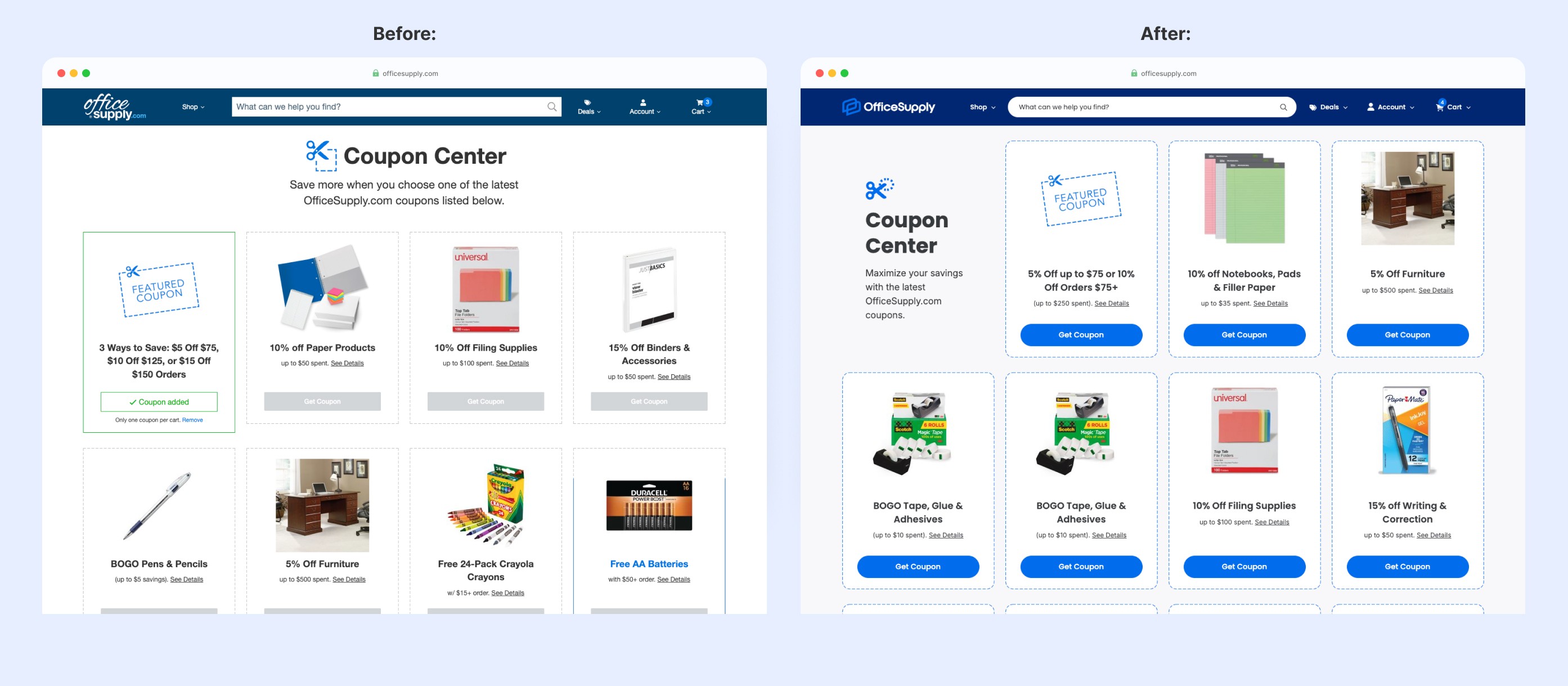
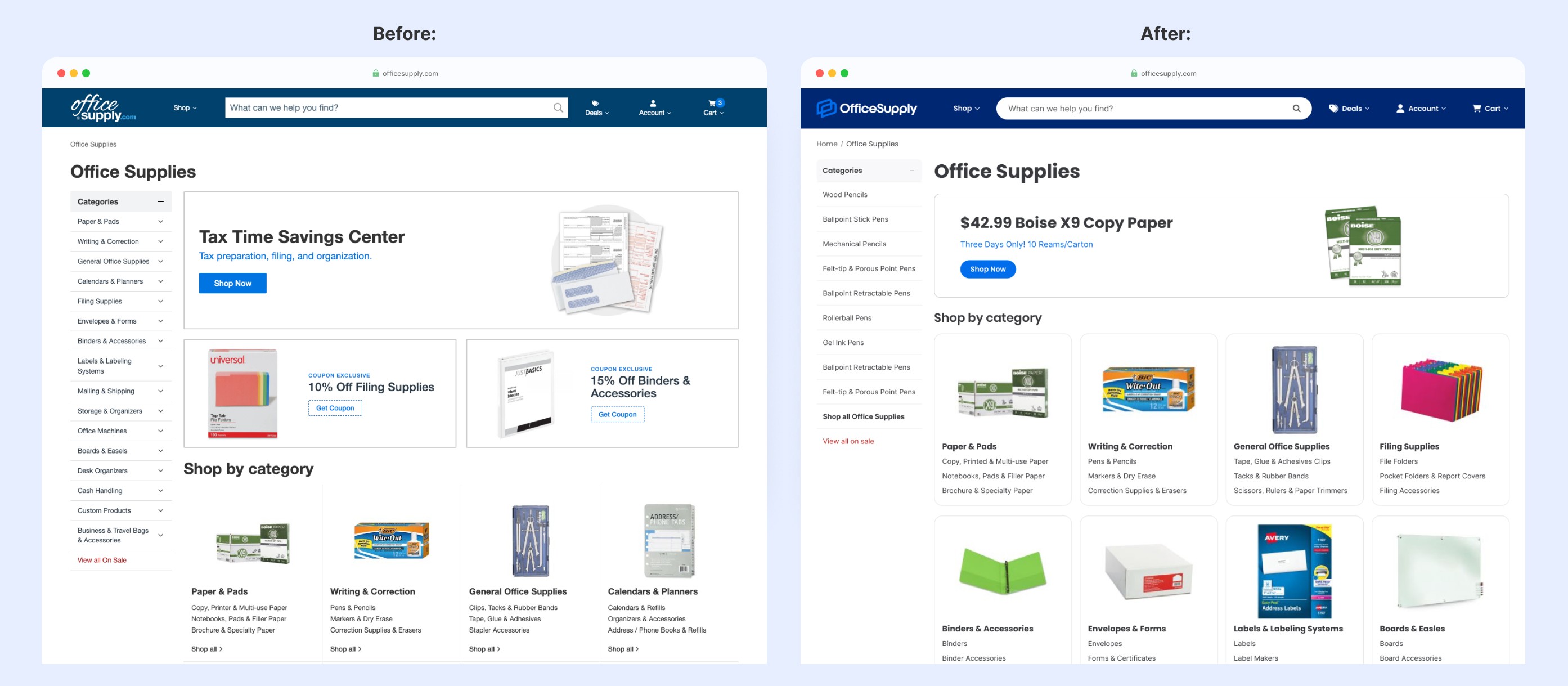
Before & After
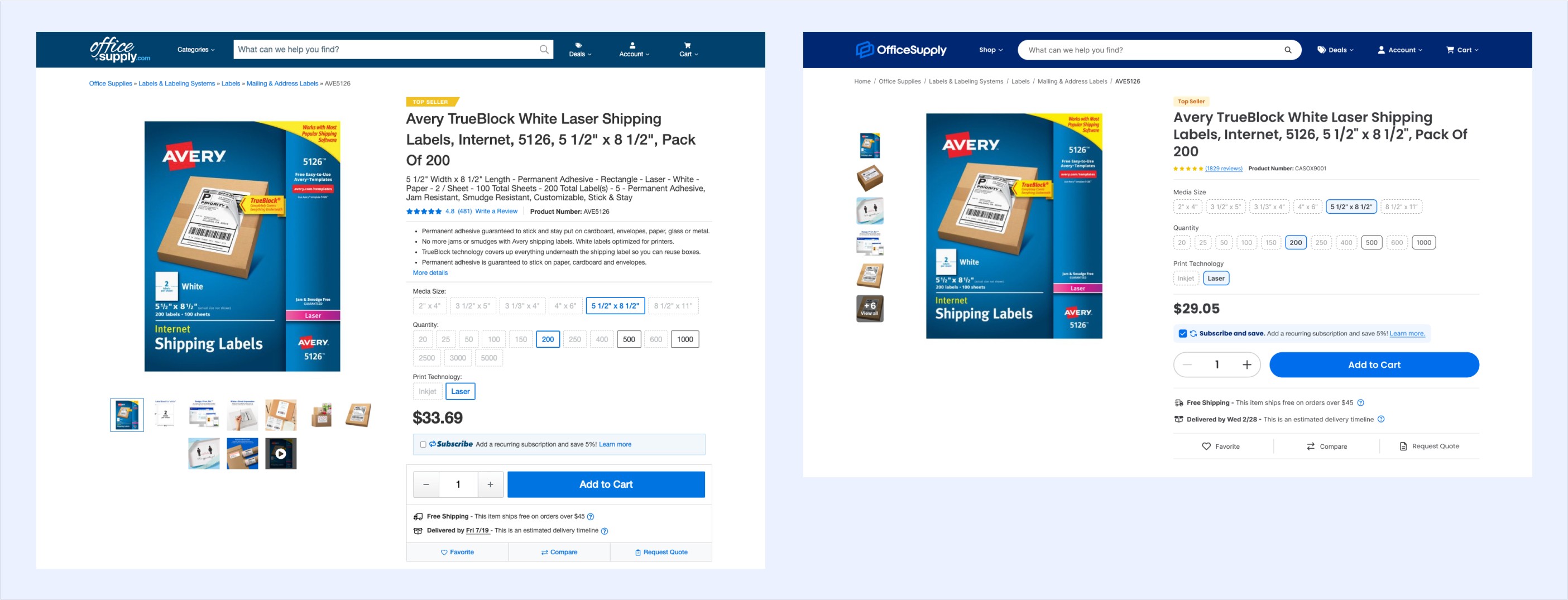
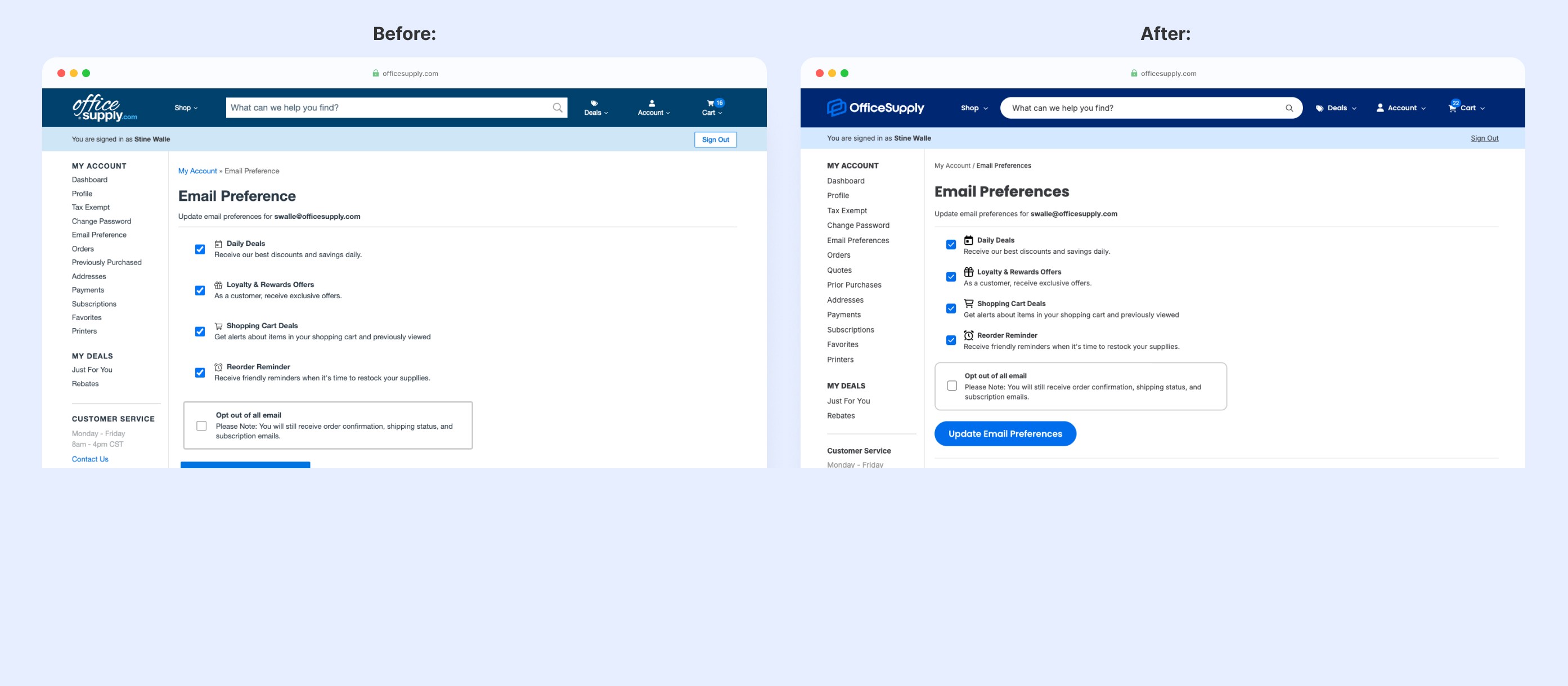
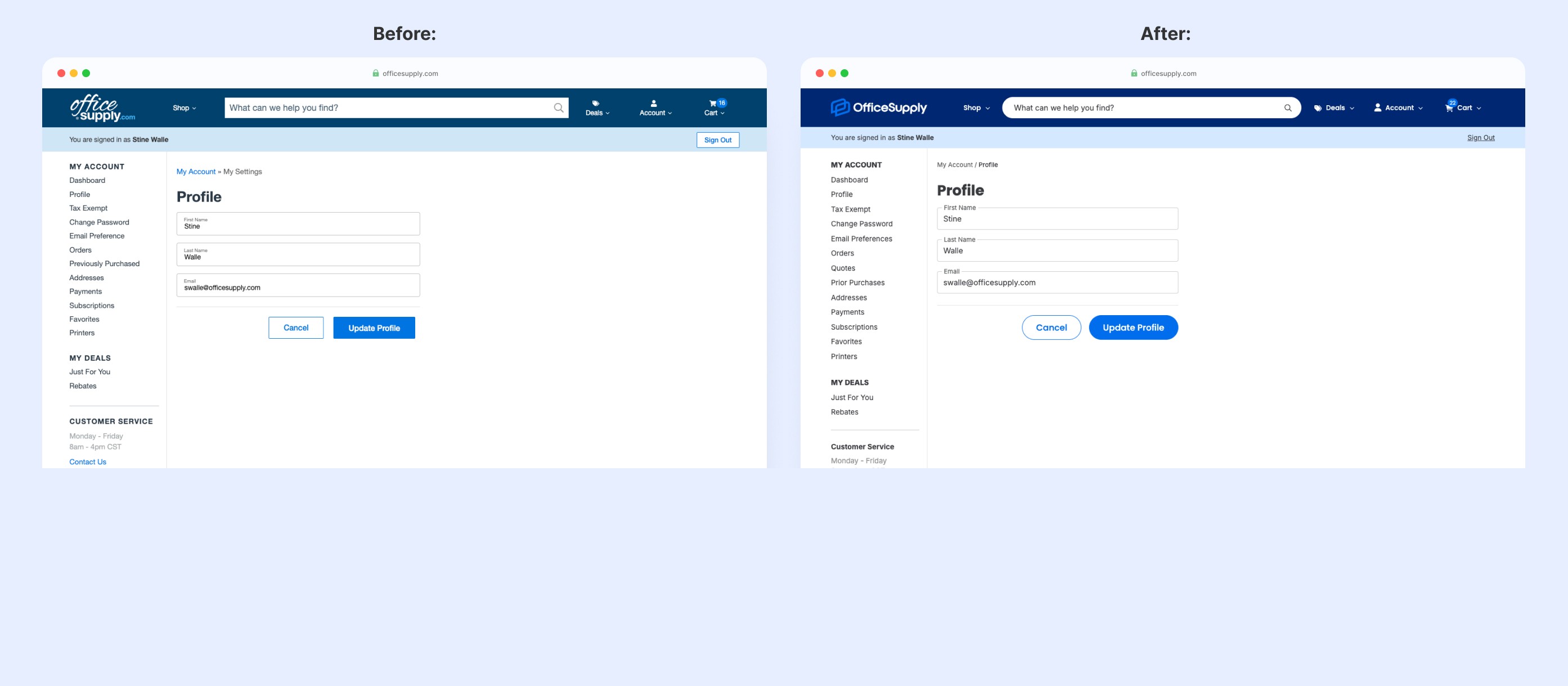
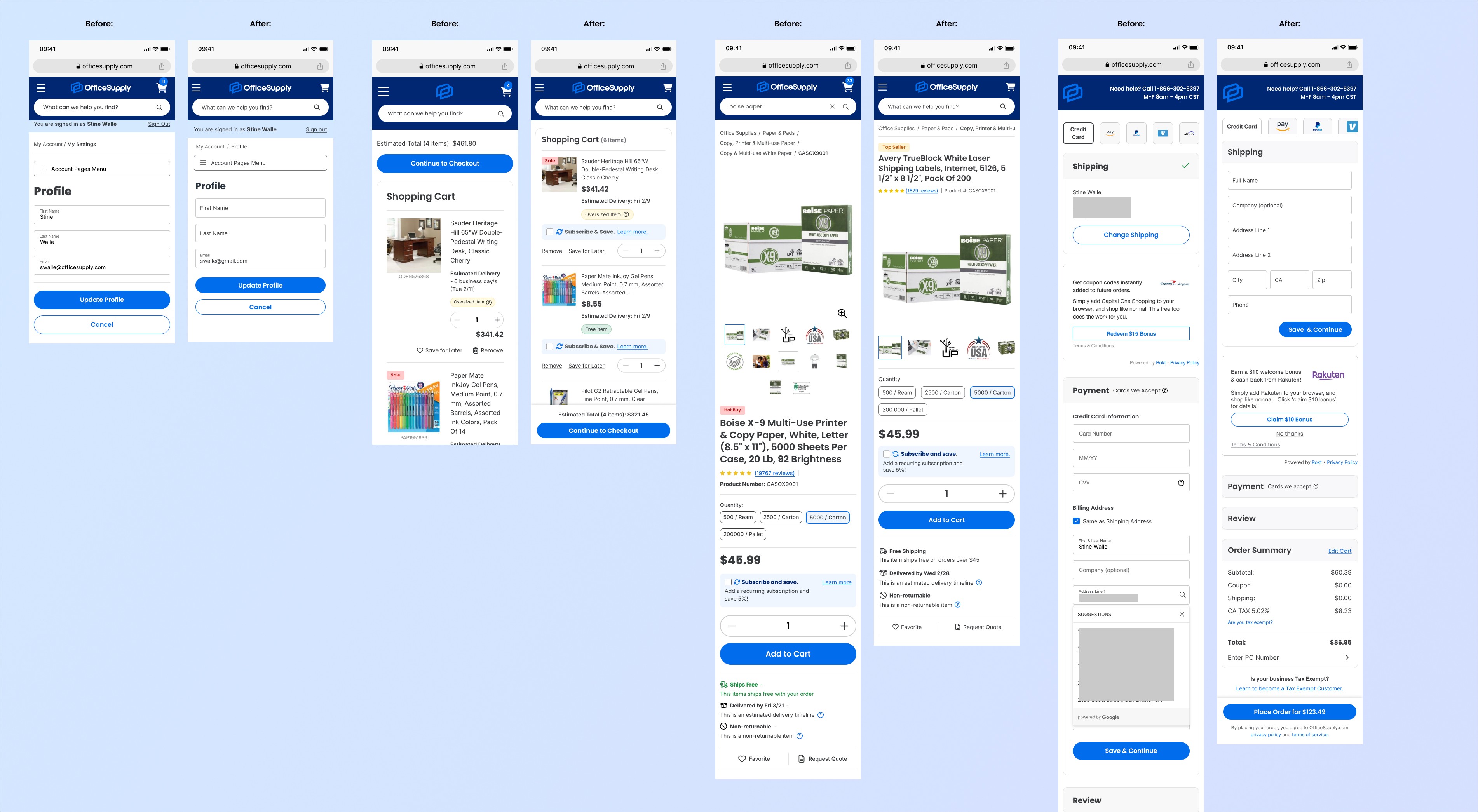
Beyond UX improvements, the entire visual identity evolved. I refined typography for better readability and hierarchy, developed a fresh, accessible color palette, and used streamlined layouts with ample whitespace to reduce visual clutter.
Optimizing for Mobile
While the initial launch focused on desktop, I recognized mobile optimization would be critical for long-term success. After the V1 launch, I advocated for a dedicated mobile push and systematically adapted high-traffic pages for smaller screens.
Key Mobile Improvements:
Sticky CTAs: Critical buttons like "Continue to Cart" were made sticky, which resulted in positive A/B test results for engagement and conversion.
Horizontal Scrolling: I implemented horizontal scrolling for elements like breadcrumbs to conserve vertical space and align with mobile UX patterns.
Responsive Refinements: Meticulous adjustments to text sizes, padding, and spacing ensured readability across all mobile devices.
Impact & Outcome
The new OfficeSupply.com launched in January 2025, completing a digital transformation that modernized the brand and raised the bar on user experience across a platform serving 1M+ monthly users.
Key metrics demonstrated the redesign's success:
11% YoY order growth
9% YoY AOV increase
11% YoY growth in returning users
These improvements set OfficeSupply.com up for continued growth and established a strong foundation for future enhancements.